iOS 11.1.2 jailbreak – How to use LiberiOS?
Honestly, it is great discussing grand jailbreak approaches before the end this remarkable 2K17. Thankfully we do not have to stick around further for iOS 11.1.2 jailbreak, as LiberiOS and to.panga are there behind. But there are more to discuss while they do not come across as often tools. While the first being a public the other can bring to pass just as a developer-only. So today we are going to unveil the whole procedure to break the frame and even re-jailbreak it once partly cracked for the reason that it is a semi-untethered.
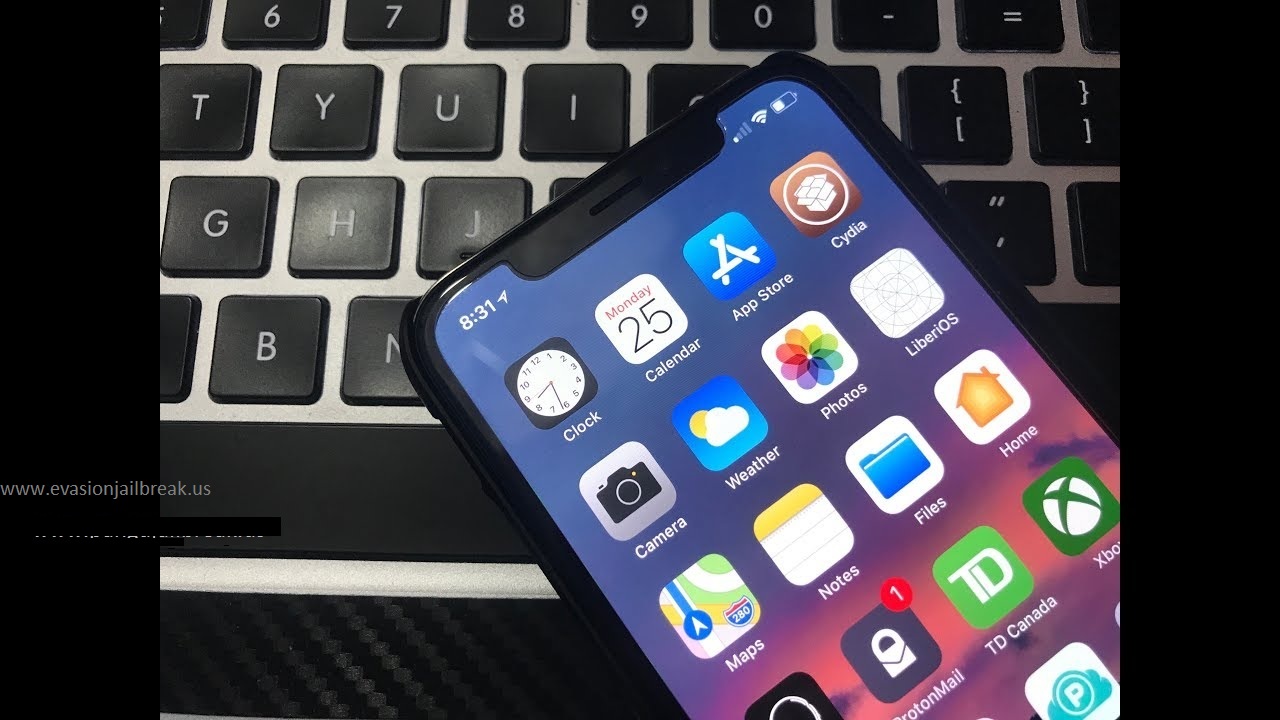
Points to remember behind iOS 11.1.2 jailbreak
- LiberiOS can only work with 64bit iPhone, iPad and iPod Touch based iOS 11 to iOS 11.1.2
- It needs a PC or a Mac
- Install or update your iTunes account to the latest
- Download the updated Cydia Impactor
- And you have to prepare the IPA of LiberiOS as well
- Backup the iPhone using iTunes or iCloud
- Make certain of your Apple developer/free ID
Important: Behind the procedure of LiberiOS, you will not be able to encounter Cydia or Cydia substrate at the moment. But this will open you a way to access SSH and for root too.
The procedure – iOS 11.1.2 jailbreak
- Bring a proper USB or a Lightning cable to connect the handset to the computer/laptop
- Drop Cydia Impactor right away
- And then go to saved LiberiOS file and drop it on the Impactor UI by drawing it
- Now put Apple ID details and let it sideload the particular file
- Go to General panel from Settings and then to the Profile & Management
- Once you are there, click the certain profile to continue
- Go to the Home screen and drop the LiberiOS app and click “Do it” option
- Within few seconds, you will see a new screen with jailbreak succeeded result
Enjoy with an unrestricted iDevice thanks to LiberiOS. But as indicated above, it is pity to remember Cydia has no value behind 11.1.2 at the moment. Hope things will shortly change for a better.

How to re-jailbreak?
There you should know how to do the reactivation of the status you have taken. When you reboot the device and after a week from the day you made it jailbroken, you have to re-jailbreak the device. It is the nature of tools comes as semi-untethered. Thus, just continue it to bring back related to jailbroken. Here is how.
- Just go Home and launch LiberiOS app right away
- Click Do It
- You will enter a new window that reports you obtained jailbroken status
That’s it.
Wrapping up
While we already captured jailbreak iOS 11.1.2, there is only a one step to walk further to complete it. Since Saurik is the one who responsible for the update, we should look forward to an update from him. By the way, for to.panga of Abraham Masri as well there even as a develop-only breakout, we could get advanced availabilities in future. If you are not agreeing for a breakout without Cydia, just stay away for an application to come across containing all those improper ones as well.
Unresponsive Touch Panel Issue fix with iOS 11.0.3 Download

In last September, Apple made iOS 11 download possible for the global iPhone, iPad, iPod touch users. Now, the third minor update has arrived with some small bug fixes almost one month after the iOS 11 official release. Like the prior two minor updates, iOS 11.0.3 download includes bug fix which was discovered in the 11.0.2 version. Right now, all the public iDevice users can upgrade the software version through the over-the-air update mechanism in the Settings app.
What we have with iOS 11.0.3 Download
According to the official release note of Apple, iOS 11.0.3 contains two major bug fixes. The first one is a solution for unresponsive display touch which was complained by iPhone 6s users. The reason for this issue is not using genuine parts for the device repairing. The second main problem addresses an issue where both audio and haptic would not work on iPhone 7 and 7 plus devices. If you were suffering from these two infections then we would recommend you download iOS 11.0.3.
What’s New About Upcoming iOS 11
We already noticed that all the public users are eligible to iOS 11.0.3 download on their devices for free. For your information, the second major update of 11th version, iOS 11.1 is currently in its beta version and to be released in later this year. While releasing minor updates of iOS 11 to the common iDevice consumers, Apple discovers the bugs and all the issues with the latest 11th firmware. This will be a good news for the iDevice lovers because iOS 11 has some problems that cause pain for the users.
Can I Download Cydia for iOS 11.0.3?
As of the time that passed iOS 11.0.3 download, indeed it’s normal to think of iOS 11.0.3 jailbreak. Can we Cydia download for this recent software update? Right now you’re unable to jailbreak iOS 11.0.3 because none of the developers have jailbreaking developers have released any tool yet. The reason is Apple on yesterday published the latest minor update and it has fixed some bugs which were found on previous versions so, the developers need time to manage it. As the Pangu team demoed iOS 11 jailbreak, a tool will come up to Cydia download on the recent software versions.
Keep visiting us for the new updates.
Simply fix often errors of iOS 11 Download
The biggest iPhone operating system of the company launched a week back for all compatible 64bit devices. But it was daze for it was only 10% fans have been upgraded with even after 24 hours from. So it is clear, users have uncertainties or any other deals against upgrading to iOS 11 download. However, now things becoming smoother and even appear those iOS 11 jailbreak admirers a well will be able to encounter something acceptable soon. While stories being updated, here is a couple of tips to follow that supports you to maintain your iDevice with the 11th OS without any flaw.

Resolve issues behind iOS 11 download
Still did not receive software update notification?
There are a couple of reasons that you cannot encounter software update alert instantly that you can simply resolve. To simply check whether there is any update; go to the Software Update section from General as often. If there is no, you better bear out that you are a 64bit user for the rest 32bit devices are not listed as upgradable.
There is another barrier. Those who tasted its Golden Master as well have an issue that keeps them far from the announcement for both versions arrived through the same build number. If everything is clear, you can go through the manual establishment or else OTA to update the iDevice right away.
Battery Drain
Battery drain is an often matter that you should count on your own resolutions. They are easy but essential if you desire a healthy battery life for a long. You can safely active low power mode, always face down the iPhone, remove huge and useless media files and apps and refresh rest applications and clear cache and further common actions can use to maintain your battery.
Incapability of 32bit apps
This is one of famed detail of 11.0 since the company made it only 64bit one from the very beginning. If you had any related app and it cannot work after upgrade with, make certain that it will never again. If you feel they are important, just go back to 10.3.3 that still supports downgrading and your 32-bit applications too.

App crashing issues
As advised, you have to update applications to recent updates before installing a new firmware. If not, it might get crashed behind. Anyhow, those who could not uninstall those crashing apps and reinstall them. Or simply check whether there you have to enhance applications.
Bluetooth and Wi-Fi cannot switch from the Control Center
This known to be a huge error of the recent Apple launch until they confirm that it was just a normal function they already planned. When you off the feature, the operating system will detect and turn down related accessories but will continue for important connections such as AirDrop, Apple Pencil and further.
iPad dock disappear
The iPad dock is an amazing and responsive feature to the iPad. But there is a huge concern that it gets disappear. You can swipe to up from the bottom to regain it.
Jailbreak possibilities of iOS 11 download

Hackers have been announced a new breakout for 32bit ones who play around 8.4.1 so far. And recent reports describe that it arrived at untethered status. However, it’s pity we have fewer things to share with reference to 64bit jailbreaking though the rest could triumphantly arrive at the destination. Even a couple of days behind the release of 11.0, we could not encounter the rumored Cydia download tool that said to be prepared for 10.2.1 – 10.3.2. For hackers expose nothing thus far, reasons are uncertain why it is getting late and so on. But we wish to see something better in a short order.
