How to install IPA on iPhone without Jailbreak?
iOS jailbreak is one thing that makes your device capable of many more things. But do you know there are also some interesting things to do even without jailbreak? Yes, you can. So here you are about How to install IPA on iPhone without jailbreak through the best tool Cydia impactor.

Adding to your knowledge, we like to tell that there are three safe methods that work on installing IPA files on iOS without jailbreak. In fact, they are as through online IPA installer, directly IPA installing on iPhone without the computer and through Cydia impactor. So here in this article, I would like to make you aware of the third method. This is what I find easiest and really smart. So go on reading!
How to install IPA on iPhone without Jailbreak?
Cydia impactor is a tool by Jay Freeman who has developed Cydia for all jailbreak fans. The tool comes as a desktop application supporting all major operating systems Windows, Mac, and Linux. So you can get ready with one and make the IPA installations successful. Cydia impactor is the best method one can use to install IPA files on iPhone. Then why still stuck with stock apps and restrictions? Take your favorite IPA files and enjoy the device to the best.
- Step 1: Download Cydia impactor tool for free on Windows (Mac/Linux)
- Step 2: Get the IPA file on the PC
- Step 3: Now connect your iPhone to the PC using a proper USB cable
- Step 4: Launch Cydia Impactor and wait for the device to get connected
- Step 5: Now drag the IPA file to the Cydia impactor and drop on the interface
- Step 6: When required, enter Apple ID and the password
With these easy steps, you can install IPA files on your device. But you here need the connection over PC. And make sure you choose the right IPA when proceeding with downloads as sometimes; some harmful content may get on your device. So all the safety is at your own hand.
Cydia impactor is the easiest way you can install IPA files on your iPhone without jailbreak. So I hope you are clear about how Cydia impactor works. And here in downloading, make sure you pick the latest Cydia impactor tool download to experience faster and more efficient downloads. So enjoy the best app downloads through Cydia impactor even without jailbreak iOS.
Complete guide to iOS 9.2.1 jailbreak Cydia
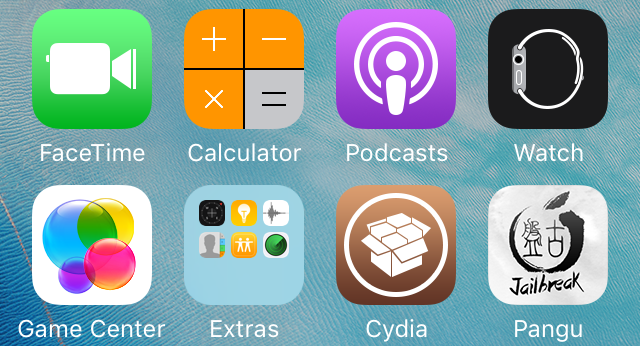
Pangu was one of the remarkable jailbreak leaders who offered several tools to download Cydia on iPhone, iPod and iPad. It was Pangu 9 as their final release a couple of years back for iOS 9 to iOS 9.3.3. Although they were behind security research conferences and even the jailbreak community, there is no other public offer thus far. This is iOS 9.2.1 jailbreak Cydia. We welcome those who are with iPhone or iPad running 9.0 to 9.3.3 to go through this and download Cydia.
Important facts
- Pangu 9 supports up to iOS 9.3.3
- Check your compatibility. Compatible devices are iPhone SE, iPhone 6s, iPhone 6s Plus, iPhone 6 Plus, iPhone 6, iPhone 5s, iPad Pro, iPad Air, iPad Air 2, iPad mini 2, iPad mini 3, iPad mini 4, iPod Touch 6G
- It is a tethered jailbreak tool
- This is a Windows-only method
- You can create a phony Apple ID if you wish not to use the original ID details
Guide to iOS 9.2.1 jailbreak Cydia
- Create a full backup using iCloud or iTunes
- Prepare a Windows machine
- Download 25PP Installer on your PC
- Double click on the downloaded file and launch it
- Click the setup key and install it right away
- Use a lightning or USB cable and connect the Windows machine with the iPhone
- Run PP app through Run as administrator option
- Check the internet or Wi-Fi connection
- Click the green color button on the center of the interface
- If you will ask for Apple ID details, enter your username and password and continue
- The PP jailbreak app will arrange its icon on your Home
- Do not open the app. Just navigate to Settings app > General > Device Management
- Find out the app profile and enter respective Apple ID logins
- And then trust it with a tap on the Trust button
- Now you can open the PP app
- Remember to accept push notifications
- And then tap the big circle on the center of the interface
- Now, lock the iDevice and keep it on the table
- A notification will display to let you know that the jailbreak process is over
- Ignore the Storage Almost Full message and remain till Cydia will properly install
- After device will automatically reboot, you can check for Cydia app on your Home
- Cydia will take a couple of minutes to prepare file system. when the device will respring, your device is ready to use as a jailbroken device
What are the best PS4 jailbreak games?
Having a Play Station during the quarantine period is really great to spend your time. You can play games and enjoy rather than waste a long vacation. On the other hand, playing games is good for your stress as well. But today, we are going to talk about a way that you can gain more games on your PS4 to fly beyond its formal frame. Jailbreak PS4 can help you with many advanced features. There are games that you can collect when you are jailbroken that are interesting and amazing. Let’s see how to and what are the PS4 jailbreak games? Here we go.

What are the PS4 jailbreak games?
Games that we usually play using our Play Station are easy to find out and easy to play. In my opinion, there may be various ways to connect games. But, play them using PS is exciting. When it became jailbroken, there are many that you can go through. Games with advanced features are one of them. However, jailbreak Play Station is not widely held. So let’s see how to jailbreak?
How to jailbreak?
Preparations
- Arrange the Play Station 4
- Search the web and find out a compatible custom firmware
- Compile a USB drive with over 1 GB space
- A special program to extract such as WinRAR
The procedure
- Check the running version of your PS4. It should be version 5.05 or previous
- Download the recommended custom software package from a reliable source
- Extract the package right away
- Connect the drive to the computer and copy and paste the file in it
- Go to the PS4 and turn off it
- Connect the USB drive in it
- You have to stay there for a few minutes
- Now go to Settings > System Update > Update via Storage Media
- So the installation will start and go through during the next couple of minutes
- The custom firmware will then perform on your console. It means you have been jailbroken
PS4 jailbreak games
If you are excited about what are the games you can go through, it is up to you to find out those jailbreak supportive games from the web. You have several reliable sources that suggest advanced games. So do not waste your time with formal games. There are many that you arrange on your console once it turns into jailbroken. Boost the performance and play advanced deals there for totally free without waste your money.
